
Confluence Pro · $199/mo
Confluence Pro MCP
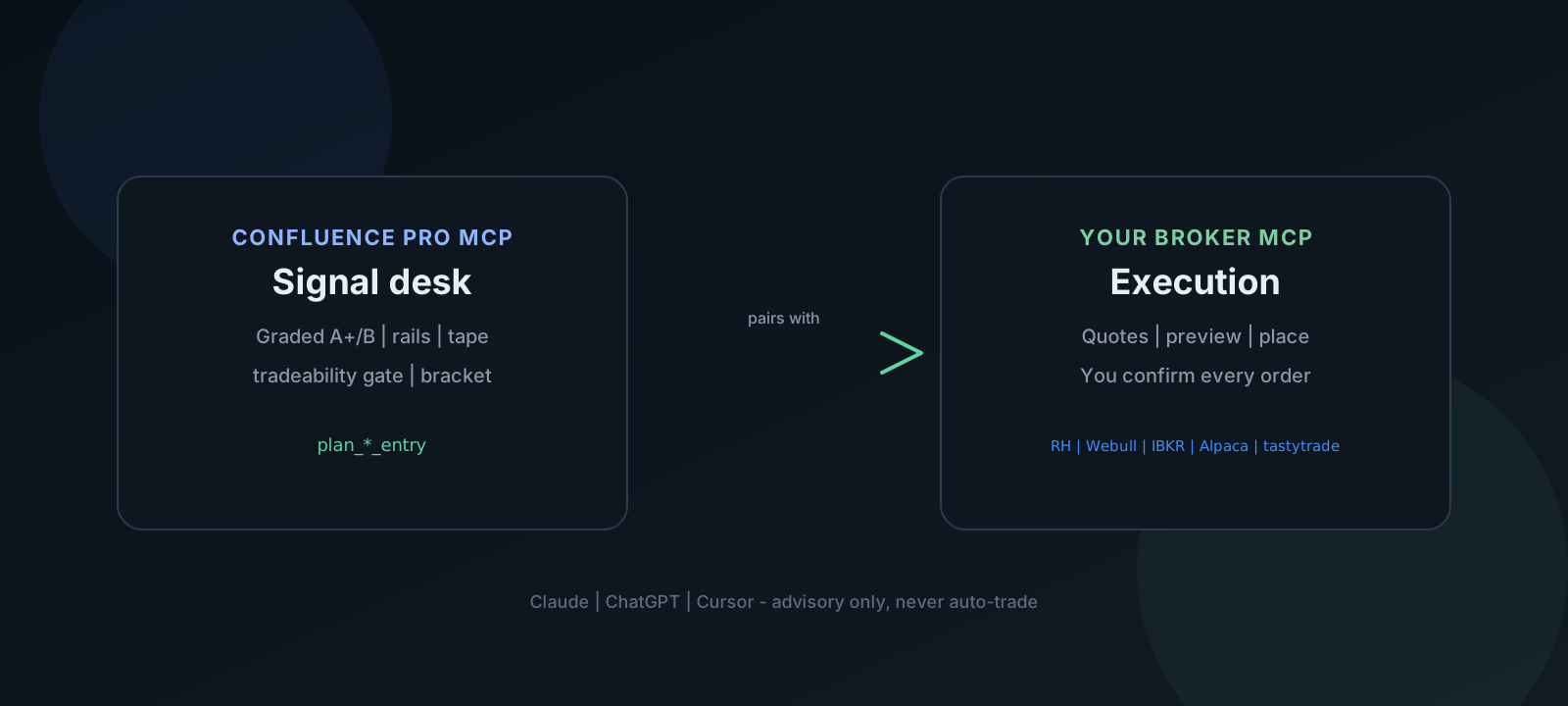
The Pro tier includes a standard MCP server (not tied to one client) that streams graded alerts, gamma rails, and a broker execution checklist. Use it in Claude, ChatGPT, Cursor, or VS Code with an MCP extension. Pair with Robinhood, Webull, Interactive Brokers, Alpaca, or tastytrade official MCPs for quotes and orders. Advisory only — you confirm every trade.
Connect with the hosted connector (no install)
The Pro MCP is fully hosted — no Python, no repo clone, no config files. On a paid Claude plan (Pro, Max, Team, or Enterprise), Claude supports custom connectors. Add one URL with your Pro key:
https://mcp.0dteconfluence.com/mcp?key=YOUR_cfl_KEYIn Claude: Settings → Connectors → Add custom connector → paste the URL → the Confluence tools appear in every chat. Your key scopes the connection to your account. Free Claude plans don’t include custom connectors — use Cursor or VS Code with the hosted URL below instead.
Compatible clients
- Claude (Pro, Max, Team, or Enterprise) — Settings → Connectors → Add custom connector
- Cursor — add the hosted URL to
.cursor/mcp.json(see below) - VS Code — any MCP-capable extension pointed at the hosted URL
- Robinhood app — no MCP required; use
#alerts-proDiscord backup + playbook
What you get
- Pro API key (
cfl_…) on the success page after checkout - 25+ MCP tools — alerts, rails, tape, morning desk, market clock, IV skew, pin, GEX, expected move, RV regime, SPY/QQQ divergence, replay, tradeability gate, Robinhood entry plan, brackets, plus Quant/Macro (path risk, CVD, VRP, index health, macro events, daily structure)
- Pro filter — score ≥6/8 · 9:45 AM–3:45 PM ET (through force-flat)
Cursor & VS Code (hosted URL)
Cursor and VS Code MCP extensions accept a remote connector URL — same hosted server, no Python or
server files. Add the block below to .cursor/mcp.json (Cursor) or your VS Code MCP config:
{
  "mcpServers": {
    "confluence-pro": {
      "url": "https://mcp.0dteconfluence.com/mcp?key=YOUR_cfl_KEY"
    }
  }
}
Restart the client → enable the confluence-pro server. Your Pro key scopes the connection to
your account. Pair with a broker MCP for quotes and orders:
- Robinhood —
https://agent.robinhood.com/mcp/trading→plan_robinhood_entry - Webull Cloud —
https://api.webull.com/mcp→plan_webull_entry(confirm in Webull app) - IBKR —
https://api.ibkr.com/v1/api/mcp-public→plan_ibkr_entry(Review & Submit in IBKR) - Alpaca —
uvx alpaca-mcp-server→plan_alpaca_entry(start on paper) - tastytrade — self-hosted
tastytrade-mcp→plan_tastytrade_entry(dry-run → confirmation_token;TASTYTRADE_ENV=sandboxfirst)
{
  "mcpServers": {
    "confluence-pro": {
      "url": "https://mcp.0dteconfluence.com/mcp?key=YOUR_cfl_KEY"
    },
    "robinhood-trading": {
      "url": "https://agent.robinhood.com/mcp/trading"
    }
  }
}
Swap the broker block for Webull, IBKR, Alpaca, or tastytrade — full examples on the Broker MCP hub.
Session workflow
get_morning_desk+get_railsbefore the open- Swing / weekly:
get_swing_structure(5–45 DTE walls — not 0DTE) - Macro overlay:
get_cross_asset·get_major_news·get_yield_curve·get_fear_greed(context only) - On an alert: retrieve the record, verify current structure and fresh Tape, then
check_alert_tradeable→plan_robinhood_entry/plan_webull_entry/plan_ibkr_entry/plan_alpaca_entry/plan_tastytrade_entry(orplan_entrywithbroker=robinhood|webull|webull_local|ibkr|alpaca|tastytrade). Pass the samealert_jsonto both checks/planning calls to retain that specific alert; otherwise each call retrieves the latest record. - Broker MCP (or app): quotes/preview → you confirm → order (Webull Cloud / IBKR: confirm in the broker app; Alpaca / tastytrade: confirm in the chat client; tastytrade requires dry-run confirmation_token)
- After fill:
format_bracket_planwith your entry premium
Numeric trapdoor and eligibility fields
get_latest_alert()returnstrapdoordirectly.list_alert_history(limit=50, min_score=6)returns today's records newest first inalerts, each with its owntrapdoor. Match timestamp, symbol, direction, and level.- The score is a stored alert-time 0–100 value, not a live rescore.
nullmeans unscored/unavailable — never treat it as zero or a solid wall. There is no standalone tool for requesting a fresh trapdoor score at an arbitrary level. laneis grade-based: A+ = Lane 1, B = Lane 2.eligiblerecords whether that lane was open when the alert was generated, not whether Discord could post it or the setup is still valid now._pro_eligible/_pro_reasonin the latest-alert response are separate record/date/grade checks against the current Pro window, normally 9:45 AM–force-flat (default 3:45 PM ET). The standard Lane 1 window ends at 11:10 AM; an afternoon A+ can therefore haveeligible=falseand_pro_eligible=true.
Neither flag checks intervening one-minute closes, prior stop-outs, positions, or re-entry eligibility. A card remains a timestamped observation, not a standing recommendation. See lane vs Discord windows and rolling OFI and snapshot freshness.
Planning validation + broker quoting
get_latest_alert and list_alert_history apply the Discord posting filters —
windows, quality gates, and dynamic deduplication — with the same plain-text card format.
These are filtered scanner records, not a per-message delivery receipt or a live position tracker.
check_alert_tradeable rejects missing/non-object alerts, an absent or unreadable session date,
another session's alert, an unsupported grade or invalid score, score < 6/8, a closed Pro window,
a missing/nonpositive/nonfinite invalidation level, or a direction other than CALL/PUT.
A present trapdoor value must be valid 0–100; null remains unscored.
The existing MCP fade-fragility veto still applies. Discord separately filters fragile fades/reclaims;
supplying custom JSON does not rerun the full scanner or Discord filters.
A passing planning gate is necessary, not sufficient, for acting on a setup.
It does not regrade the candle or current flow, verify survival of the structural stop, check broker
positions, or impose a maximum age in minutes on same-day alerts. No automatic re-entry follows from
tradeable: true. Failed gates return a rejection, not an execution checklist or bracket targets.
plan_robinhood_entry / plan_webull_entry then return the advisory checklist —
ATM listed strike (closest to spot), spread ≤10% of mid (≤12% pre-9:45).
Robinhood: price from high_fill_rate_buy_price (not a guessed ask or passive mid);
exits use low_fill_rate_sell_price when available.
Webull Cloud: place_option_single_instruction then confirm in the Webull app
(no RH-style fill-rate band — use a tight limit near ask).
Webull Local: preview_option_order → place_option_single_order.
Do not buy the alert print — wait for the next 1-min close still on the rail (starter ⅓, add ⅔ on a held retest).
Working stop is that rail; −25% of premium is last-resort only. Force-flat from get_market_clock.
1. check_alert_tradeable     → tradeable must be true
2a. Robinhood: get_option_quotes → high_fill_rate_buy_price
    review_option_order → place_option_order (you confirm)
2b. Webull Cloud: place_option_single_instruction → confirm in Webull app
2c. Webull Local: preview_option_order → place_option_single_order (you confirm)
2d. IBKR: draft AI instruction → Review & Submit in IBKR app
2e. Alpaca: get_option_snapshot → place_option_order (you confirm)
2f. tastytrade: dry_run → confirmation_token → place_order (you confirm; sandbox first)
3. format_bracket_plan       → ⅓/⅔ scale-in + rail stop (−25% cap only if no rail)
Webull MCP (Cloud vs Local)
Same Confluence Pro gates and structure; only the broker MCP steps differ.
Prefer Cloud if you want OAuth like Robinhood (no App Key in mcp.json).
Use Local if you already have Webull OpenAPI App Key/Secret.
- Cloud — Settings → MCP → add remote URL
https://api.webull.com/mcp, complete OAuth, authorize Account + Order Query + Market Data capabilities. Docs: Webull Cloud MCP. - Local —
uvx webull-openapi-mcp servewithWEBULL_APP_KEY/WEBULL_APP_SECRET/WEBULL_ENVIRONMENT=prod. Runuvx webull-openapi-mcp authonce if 2FA is on. Docs: Webull Local MCP.
Interactive Brokers MCP
Add remote URL https://api.ibkr.com/v1/api/mcp-public, complete OAuth.
Confluence drafts the instruction; you Review & Submit in the IBKR AI Instructions tab.
Docs: IBKR MCP.
Alpaca MCP
Run uvx alpaca-mcp-server with your API keys. Prefer paper first
(ALPACA_PAPER_TRADE=true). After Confluence plans the entry, confirm then
place_option_order.
Docs: alpaca-mcp-server.
tastytrade MCP
Self-hosted: clone tastytrade-mcp,
npm ci && npm run build (Node 22+), then point mcp.json at
node /ABS/PATH/tastytrade-mcp/dist/index.js with
TASTYTRADE_CLIENT_ID / SECRET / REFRESH_TOKEN.
Set TASTYTRADE_ENV=sandbox until the flow is proven — production is the default and moves real money.
Order flow is dry-run-first (confirmation_token, 60s). Docs:
tastytrade MCP server.
Discord backup
#alerts-pro pings Pro members on mobile. MCP is the primary desk workflow when you're at the computer.
Install guide above · questions: [email protected]